
Winexch Deposit and Withdrawal Guide: Methods, Time and Limits
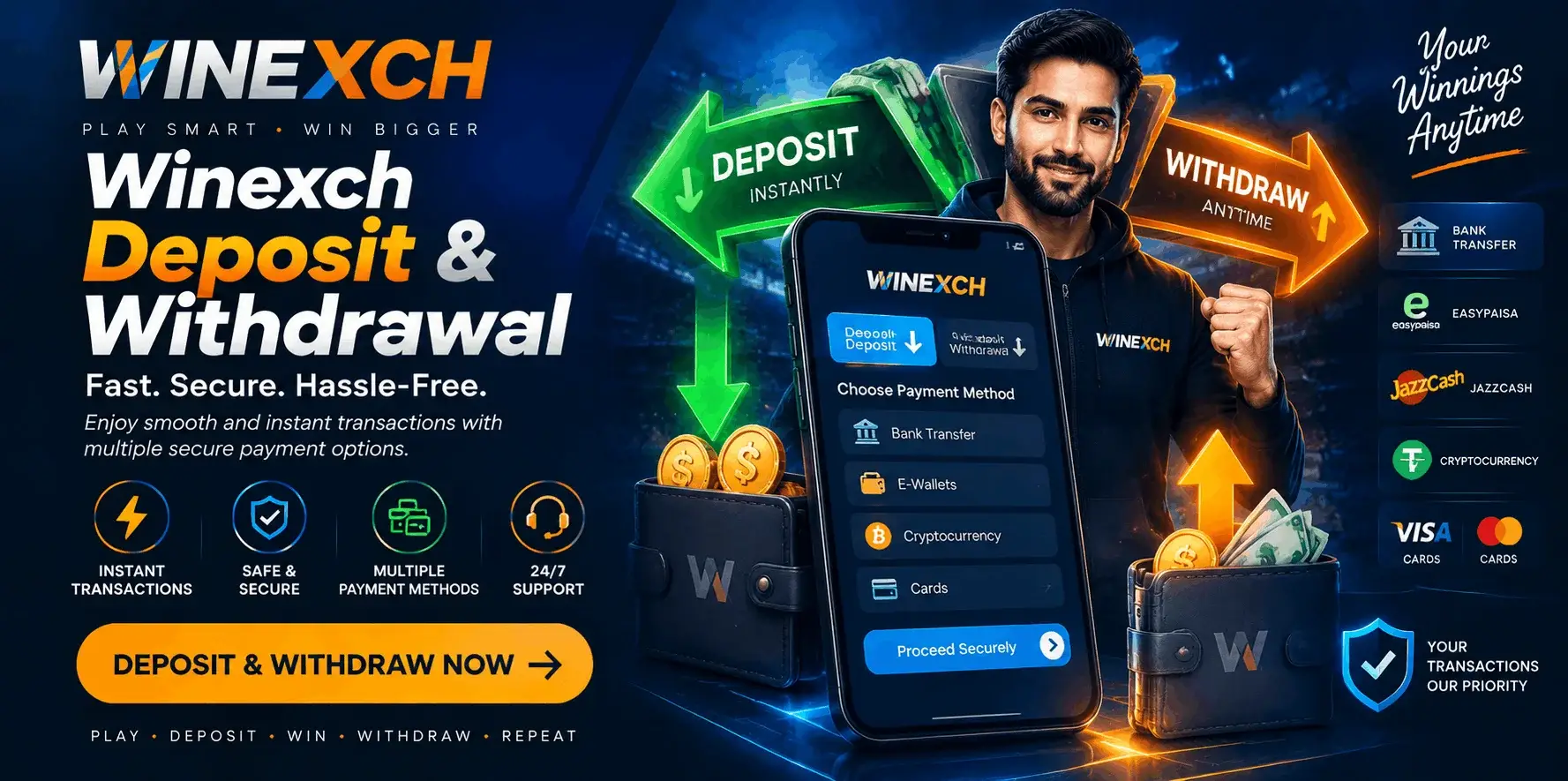
Winexch deposit and withdrawal controls are managed through the account wallet. From this section, users can add funds, check credited balance, review payment records and submit an eligible withdrawal request. The exact methods, amount limits and processing estimates shown in the wallet can vary according to the account, currency and payment options currently available.
A Winexch transaction is easier to follow when the amount, payment route and account details are reviewed before submission. The payment reference should also be retained until the deposit appears in the wallet or the withdrawal reaches the selected receiving account. This creates a complete record from the first payment instruction to the final account update.
How Winexch Deposits and Withdrawals Move Through the Wallet
The Winexch wallet connects the user’s payment method with the account balance. A deposit begins outside the platform through the selected bank, UPI service, wallet or another method displayed in the deposit section. After the payment provider confirms the transfer, Winexch records the amount and adds it to the wallet balance.
A withdrawal starts from the balance already available inside the account. The user chooses an active payout method, enters the eligible amount and confirms the receiving details. The request is then recorded in the transaction history and moves through the relevant account and payment stages before the funds reach the selected destination.
Because the payment provider and Winexch record different parts of the transaction, a bank notification and a wallet update may not appear at the same moment. The transaction history helps users see which stage has already been completed.
Winexch Deposit Methods
The active payment options are displayed inside the Winexch deposit section. Depending on account availability, users may see UPI, bank transfer, supported wallet services, card-based payments or another regional method.
The method shown in the account should be used only for the current payment instruction. Users should not rely on an old screenshot, a previously saved destination or payment details collected from an unrelated page. Deposit routes can change, and the current wallet screen provides the correct information for that request.
Before entering an amount, check the minimum deposit, maximum deposit, account currency and any instructions attached to the selected method. The final transaction summary should also be reviewed before the payment is confirmed.
How to Deposit Money in Winexch
Sign in to the correct Winexch account and open the wallet, cashier or deposit section from the dashboard. Choose one of the methods currently displayed and enter an amount within the available range.
The next screen provides the details required to complete the payment. Depending on the selected method, this may include a UPI route, bank account information, wallet instruction or another payment destination. Use the exact information displayed for that deposit request.
After completing the transfer, save the payment reference or confirmation receipt. Return to the Winexch wallet and review the transaction history. A deposit is complete when the external payment shows a successful result and the corresponding amount appears in the account balance.
Winexch Deposit Form Details
The deposit form may contain different fields according to the payment method. Common fields can include the deposit amount, selected method, payment reference and proof of payment where requested.
Each field should match the completed transaction. The amount entered in Winexch should be the same as the amount sent through the bank or payment app. If a reference number is requested, copy it accurately instead of entering an approximate or incomplete value.
The account currency should also be checked before confirmation. When the bank or wallet displays another currency, users should review the final amount shown in the Winexch payment screen before proceeding.
How to Confirm a Winexch Deposit
A debit from the user’s bank or payment app confirms that the external transfer has been initiated or completed. The second confirmation appears inside the Winexch wallet.
To verify the deposit, compare the amount, date and payment reference with the entry in transaction history. The wallet balance should increase by the credited amount once the account-side stage is complete.
This distinction is important because the external payment and Winexch wallet credit are separate records. Keeping both confirmations makes the deposit easy to trace without creating another payment for the same amount.
Winexch Withdrawal Process
Open the withdrawal section from the Winexch wallet and check the amount currently available for payout. Select an active receiving method and enter a figure within the withdrawal limits displayed for that option.
The withdrawal form may request a bank account, UPI ID, wallet address or other receiving information. Enter each detail in the required format and compare it with the payment account before submitting the request.
Once confirmed, the withdrawal appears in the Winexch transaction history. The entry normally shows the amount, request date, payment method and current status. These details should be reviewed until the transaction reaches its final stage.
Winexch Total Balance and Withdrawable Balance
The total balance and withdrawable balance can represent different amounts.
The total balance is the wider amount recorded in the Winexch wallet. The withdrawable balance is the portion currently available for payout. A difference may appear when part of the balance is linked with unsettled activity, an active withdrawal request or account conditions that are still being completed.
The withdrawal amount should therefore be based on the withdrawable balance, not only on the larger figure shown in the wallet. This helps the request remain within the amount presently eligible for release.
Winexch Withdrawal Methods
The withdrawal methods visible in an account may depend on region, currency, profile setup and payment availability. In some cases, Winexch may show a payout route connected with the verified payment information already used by the account.
Using consistent account-holder details helps the platform match the Winexch profile with the receiving payment method. The user should confirm that the selected bank account, UPI ID or wallet belongs to the correct account holder where ownership matching is required.
The current withdrawal screen remains the main reference for method availability. A method used for a previous payment may not always be active for every later transaction.
Winexch Deposit and Withdrawal Time
A Winexch deposit and withdrawal do not always follow the same timeline. Deposits usually involve payment confirmation followed by wallet credit. Withdrawals may include balance review, destination confirmation and payment release before the receiving bank or wallet displays the amount.
The total time can be influenced by the selected method, payment-provider processing, banking schedules, regional holidays and any account confirmation attached to the request.
Users should follow the estimate and current status shown in their own Winexch wallet. A processed withdrawal may have already left the platform while the receiving payment provider is still completing its final credit stage.
Winexch Deposit and Withdrawal Limits
Deposit and withdrawal limits can differ by payment method. UPI, bank transfer, wallet and other available options may each display their own minimum and maximum figures.
Limits may also be affected by account currency, profile status and transaction controls applied to the selected route. The relevant amount range normally appears after the user chooses a payment method.
Checking the displayed limit before entering the amount prevents unnecessary changes at the confirmation stage. The deposit limit and withdrawal limit should be reviewed separately because they may not be identical.
Matching Winexch Profile and Payment Details
Payment details should remain consistent across the Winexch profile, deposit record and withdrawal destination. Where account ownership confirmation applies, the profile name should match the name connected with the payment account.
Before confirming a withdrawal, compare the account-holder name, bank account number, UPI ID or wallet identifier with the receiving details entered in the form. Even a small typing difference can make the record harder to match.
Accurate information also supports a cleaner transaction history because the payment destination remains clearly connected with the correct Winexch account.
Winexch Payment Verification
Winexch may request additional account confirmation when a payment requires ownership or identity review. The exact requirement can depend on the account and transaction.
Verification may involve profile information, identity confirmation, address details, proof of payment ownership or a transaction receipt. Any requested document should be submitted only through the official verification area or the support route shown in the account.
Clear and matching information helps complete the review efficiently. Keeping the Winexch profile updated also reduces the need to correct basic account details during a later withdrawal.
Winexch Transaction History
The transaction history is the main account record for deposits and withdrawals. It may show the transaction type, date, amount, payment method, reference and current status.
This section allows users to separate an active request from an already completed payment. It also helps confirm whether a deposit has been credited or a withdrawal has moved to the next processing stage.
When reviewing a transaction, focus on the latest status and the exact amount connected with that entry. A clear history record is more reliable than relying only on an external bank notification.
Understanding Winexch Payment Status
A newly created payment may first appear as submitted. This means the request has entered the Winexch system.
A pending or review status usually shows that the transaction is still passing through confirmation, account checks or payment processing. An approved status indicates that the request has moved forward, while processed generally means the payment has been released to the selected method. Completed shows that the transaction has reached its final recorded stage.
The exact labels may vary by interface, but the user should always compare the status with the transaction date, amount and method shown in the same record.
How to Track a Winexch Deposit Before Wallet Credit
When the external payment shows success but the Winexch balance has not yet refreshed, open the transaction history and compare the amount, timestamp and reference number with the completed transfer.
The wallet may update after the payment provider finishes sending confirmation to the account system. Keeping the original receipt allows the transaction to be identified accurately if an additional review is required.
It is better to follow the existing deposit record than to send the same amount again while the first transfer is still being confirmed.
How to Track a Winexch Withdrawal Under Review
A withdrawal under review may still be moving normally through the payout process. Check whether the amount is within the displayed limit, the receiving details are correct and the account has any verification notification.
The Winexch status may update before the receiving bank or wallet completes its own processing. Banking hours and payment-provider schedules can therefore affect when the final credit becomes visible.
Users should follow one withdrawal through its full status cycle. Another request should only be created after the current transaction has been completed, returned or formally cancelled through an available account option.
Can a Winexch Withdrawal Be Edited or Cancelled?
Once a withdrawal has been submitted, the payment details may no longer be editable. Users should check whether a cancellation option is visible in the transaction section before taking another action.
When no cancellation control is available, the current request should be followed through the account status or official support route. Creating a second withdrawal does not change the first transaction and may make the payment record less clear.
This is why the amount and receiving information should be reviewed carefully before final confirmation.
Using Winexch Deposits and Withdrawals on Mobile
The Winexch payment section can be accessed through the mobile interface available to the account. The wallet may appear inside the main menu, profile area or balance panel depending on the screen layout.
On mobile, keep the session active until the transaction has been submitted and the confirmation screen appears. A stable connection helps the form record the amount and payment details correctly.
When moving between Winexch and a bank or UPI app, save the final payment reference before returning to the wallet. The transaction history can then be used to confirm the latest account-side update.
Winexch Payment Support
When payment assistance is required, complete transaction details help the support team locate the correct record. The user should keep the Winexch account ID, transaction type, amount, date, payment method, reference number and latest status ready.
A payment receipt or screenshot may be shared when requested through the official support channel. Login passwords, one-time codes and full card security information should remain private.
Providing one complete transaction record is more useful than sending several incomplete messages about the same payment.
Keeping Deposit Activity Within a Planned Budget
A deposit should match the amount the user has already planned for account activity. Reviewing the Winexch transaction history before adding more funds helps prevent repeated payments and keeps the wallet record easy to understand.
Users should also check the balance already available before starting another deposit. This keeps payment decisions connected with the current account position rather than only with the external payment method.
Final Winexch Transaction Review
Before submitting a Winexch deposit or withdrawal, confirm the payment method, amount, account currency and receiving details. After submission, keep the transaction reference and follow the record in the wallet until the final status is visible.
The payment section inside the user’s own Winexch account remains the most accurate source for active methods, current limits and processing information. Following the instructions shown for each transaction creates a clearer route from deposit confirmation to withdrawal completion.
Winexch Deposit and Withdrawal FAQs
1. How do I deposit money in Winexch?
Open the Winexch wallet, select an available deposit method, enter an amount within the displayed limit and complete the payment using the current account instructions. Keep the transaction reference until the amount appears in the wallet.
2. How do I withdraw money from Winexch?
Go to the withdrawal section, review the withdrawable balance, choose an active payout method and enter the receiving details. Confirm the amount and destination before submitting the request.
3. How long does a Winexch withdrawal take?
The time depends on the payment method, account review and the receiving bank or wallet. The estimate and payment status displayed in the Winexch account provide the most relevant update.
4. Why are total balance and withdrawable balance different?
The total balance may include amounts linked with unsettled activity, an active payout request or account conditions that are still completing. The withdrawable balance shows the amount currently eligible for withdrawal.
5. Where can I find Winexch deposit and withdrawal limits?
Select a payment method inside the wallet. The current minimum and maximum amounts should appear in the relevant deposit or withdrawal form.
6. How do I confirm a Winexch deposit?
Check that the external payment is successful and then confirm that the same amount and reference appear in the Winexch transaction history or wallet balance.
7. Can Winexch payment methods differ between users?
Yes. Available methods may depend on region, account currency, profile setup and the options currently shown in the wallet.
8. What details are needed for Winexch payment support?
Keep the account ID, amount, date, method, transaction reference and current status ready. A receipt may also be useful when requested through the official support route.